Pavement Markings (MUTCD Part 3)¶
TrafficCAD stripes pavement the way the manual specifies it: every line style is a cited MUTCD preset with the correct color, width, and dash cadence, drawn at true ground scale — a 10 ft dash with a 30 ft gap measures exactly that on the map, the sheet, and the PDF.
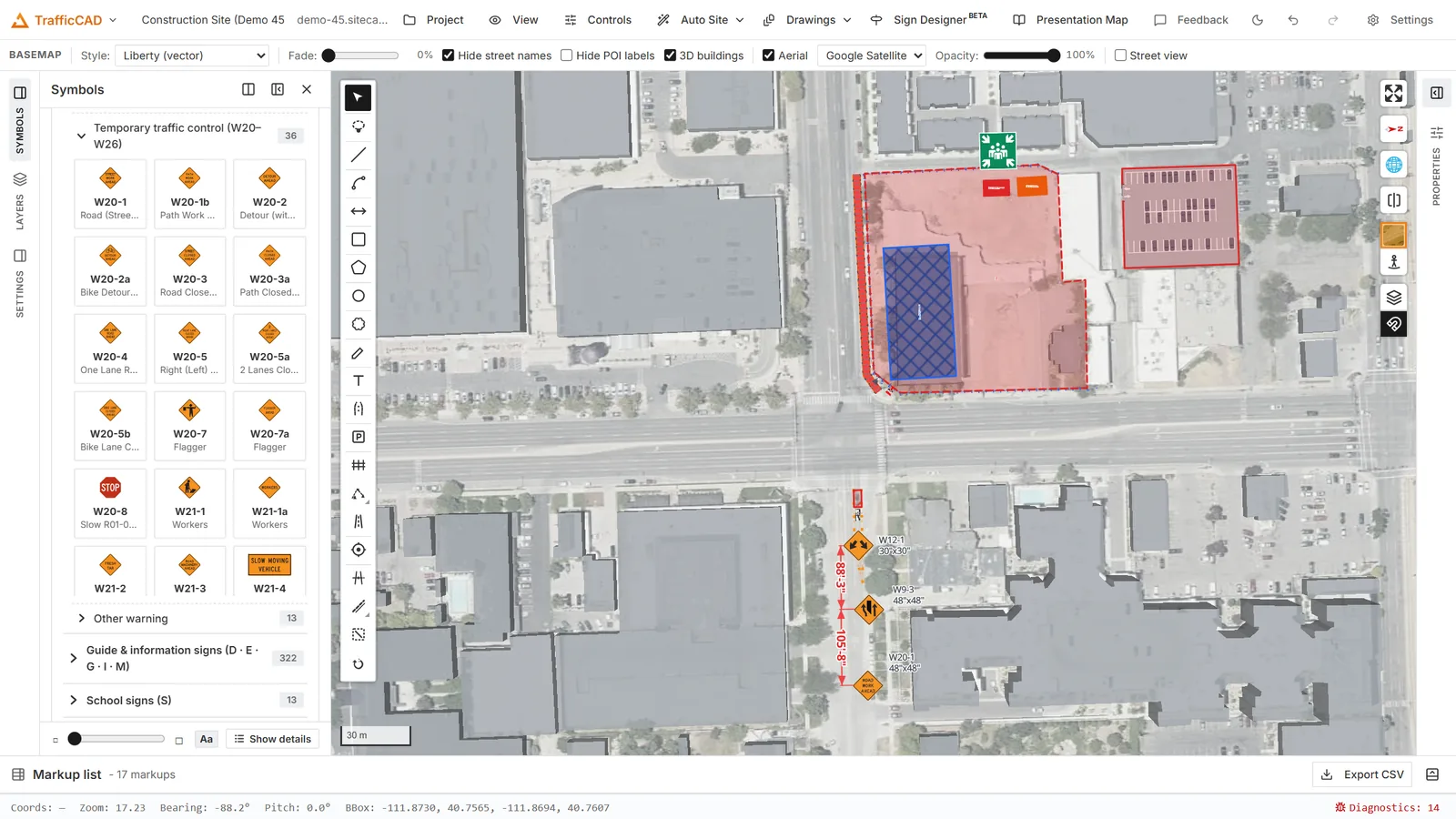
The marking engine restripes a corridor from its parameters: lane lines, edge lines, per-lane arrows, and a centre turn lane.
Markings come from three places: presets you draw, markings the road draws for itself (from lane configuration and intersection treatments — see Roads & Vectorize), and the TTC engine's temporary markings.
The three marking tools¶
| Tool | Draws |
|---|---|
| Pavement marking line | MUTCD striping — center/lane/edge/channelizing lines, dotted lines, stop & yield lines. Pick the preset in the panel. |
| Pavement marking area | Gore chevrons, island/median diagonals, crosshatch, colored pavement. |
| Crosswalk | Draw across the roadway — transverse, continental, ladder, or bar-pair per Figure 3C-1. |
Draw the line/outline, double-click or Enter to commit. Each tool's MUTCD preset dropdown is in the Tool Chest options block while the tool is armed.
Line presets (28, all cited)¶
Lane lines (broken white, solid white, wide solid, double solid) · center lines (broken yellow, double solid yellow, one-direction no-passing both ways) · TWLTL edges (broken toward the lane, both hands) · reversible-lane broken double yellow · edge lines (white right, yellow left for divided/one-way/ramps, wide white) · channelizing lines (wide solid white, double solid white) · dotted lines — accel/decel lane (3 ft/9 ft), lane-drop WIDE dotted (3 ft/9 ft), intersection extensions (2 ft/4 ft, white and yellow), dotted edge extension · stop line (24-inch solid white) · yield line (triangle row) · preferential-lane buffers (wide double white solid/broken) · curb markings (yellow, white, red per state/local law).
Every option's tooltip is its exact MUTCD 11th Edition citation.
Area presets (10)¶
Gore/neutral-area white chevrons · flush-median yellow diagonals · channelizing islands (white for same-direction, yellow for opposing) · shoulder/no-parking diagonals · Do Not Block Intersection crosshatch · sidewalk-extension outline · colored pavement — green (bicycle facility), red (transit lane), purple (ETC account-only).
Editing a placed marking¶
Select a marking to open its editor:
- Marking line — preset (switching re-styles the whole line), color (White/Yellow/Red/Green/Blue/Purple/Black contrast), width in inches (2–36), pattern (solid; broken 10/30; dotted lane line 3/9; dotted extension 2/4; yield triangles), and double line configuration.
- Marking area — preset, fill (chevrons, diagonals, crosshatch, solid, outline only), color, stripe width/spacing/angle, traffic bearing (blank = auto — chevrons point the right way), flip, and outline style.
- Crosswalk — design (the four Fig. 3C-1 styles), width, line width, bar width/spacing, bar skew for angled crossings, and Vehicle control (stop or yield line on each approach, with its setback).
Crosswalks¶
Crosswalks are not walking paths: a walking path is a pedestrian surface (a sidewalk), a crosswalk is roadway pavement marking where the pedestrian route crosses traffic — TrafficCAD models them as different things, and vectorize imports OSM street crossings as Crosswalk markups on their own layer.
Draw one across a roadway (two clicks, curb to curb) and every road it crosses takes it over:
- the road paints the Fig. 3C-1 design across its exact pavement (bike lanes and shoulders included), with the bars parallel to vehicle travel even on skewed crossings — however loosely the crossing line was drawn;
- the road's lane, center, and edge lines open across the band, the standard plan idiom — and at an intersection the cut runs from the band all the way to the junction, so no longitudinal line ever runs between a crosswalk and the intersection beyond it (opt-in dotted extensions are the one exception);
- with Vehicle control set, the road derives a stop line (or yield triangle row) on each approach, the chosen setback upstream of the band (default 20 ft — the §3B.19 midblock guidance);
- a crosswalk lying across a road end re-anchors that end's own stop/yield line to the drawn band (and replaces the end treatment's own crosswalk), so dragging the crosswalk re-seats the stop lines live — the stop-line position always follows the crosswalk.
The link is dynamic and everywhere: move or restyle the crosswalk and every crossed road re-derives on the map, the drawings stage, and the PDF. Keep the Width property on the crosswalk itself — it is the band's width along vehicle travel. A crosswalk that doesn't lie across any road (a parking lot, a plaza) just paints itself exactly as drawn.
Junction-aware markings from roads¶
You usually don't draw stop bars by hand. Set a road's intersection treatments and the engine emits the whole junction package: stop/yield lines placed at the crossing pavement edge, crosswalks in the chosen style, lane-use arrows with ONLY words, dotted extensions through the intersection, and TWLTL/flush-median center-lane markings — all of which re-derive when the road changes. A drawn Crosswalk markup at the junction takes precedence over the end treatment's own band (see above).
Compliance findings¶
Markings are checked as you edit, with the same severity scheme as the TTC engine (● error / ▲ warning / ℹ info), each with its citation. Examples you'll actually see:
Crosswalk width 5 ft — the minimum marked crosswalk width is 6 ft (8 ft at a non-intersection location posted 40 mph or greater).
Undivided two-way roadways with four or more lanes shall use two-direction no-passing markings (double solid yellow), not a broken center line.
Findings never block you — they tell you exactly which rule you're deviating from so the deviation is a decision, not an accident.
Markings ride everything
Pavement markings plot as vectors on sheets, export in the PDF, appear in the markup list, and restripe automatically when you re-lane a road.
Word, symbol, and arrow markings (Tool Chest)¶
The Symbols panel has a Pavement markings group — the MUTCD 11th Edition word, symbol, and arrow markings (Sections 3B.20–3B.26) as placeable stamps in the exact FHWA Standard Highway Signs pavement designs:
- Words & messages — ONLY, STOP, SCHOOL (including the two-lane spread of 7C.02), PED XING, SIGNAL AHEAD, DO NOT BLOCK, KEEP CLEAR, speed legends, and a Custom word… entry. Every message is set in the elongated pavement alphabet of the Standard Highway Signs Pavement Markings chapter (the design details Section 3B.20 makes binding), so ONLY at 8-ft letters measures 5.9 ft wide exactly as Figure 3B-17 publishes. Type anything (A–Z, 0–9) — one word per line; the first line lands nearest the approaching driver (3B.21 ¶02).
- Arrows — the full Figure 3B-21 family at published sizes: through (9.5 ft), turn (8 ft), turn + through (12.75 ft), the narrow elongated variants, U-turn and U-turn + turn, lane-reduction (18 ft), wrong-way (23.5 ft, solid or raised-marker), and the freeway/ramp arrow. Left/right variants are separate entries.
- Route shields — elongated Interstate, U.S. route, and state route markers per Figure 3B-18, including the black contrast-patch versions for light pavement. The route number is editable and re-lays in the elongated numerals.
- Symbols — yield-ahead triangles (20 ft / 13 ft per Figure 3B-20), the HOV preferential-lane diamond, and the accessibility (ISA) parking symbol with the optional blue background.
Markings place at true ground size, lie flat on the pavement in 3D,
and snap their heading to the road under the cursor — the half of a
two-way roadway you click decides the travel direction (R /
Shift+R still spins them). After placement the Selected symbol
panel edits the text, letter height (6-ft floor of 3B.21, with the
under-25-mph reduction noted), the message line gap (4–10× letter
height per 3B.20 ¶07), and the color — each deviation from the manual
surfaces as a cited finding. For the Do Not Block box itself, draw a
Marking area with the Do Not Block Intersection presets (outline
only or crosshatch, 3B.26 ¶02) and stamp the words inside.