Tutorials
These tutorials walk the main TrafficCAD workflows end to end. Each one is
short, builds on the User Guide, and links
back to the reference pages for the features it uses.
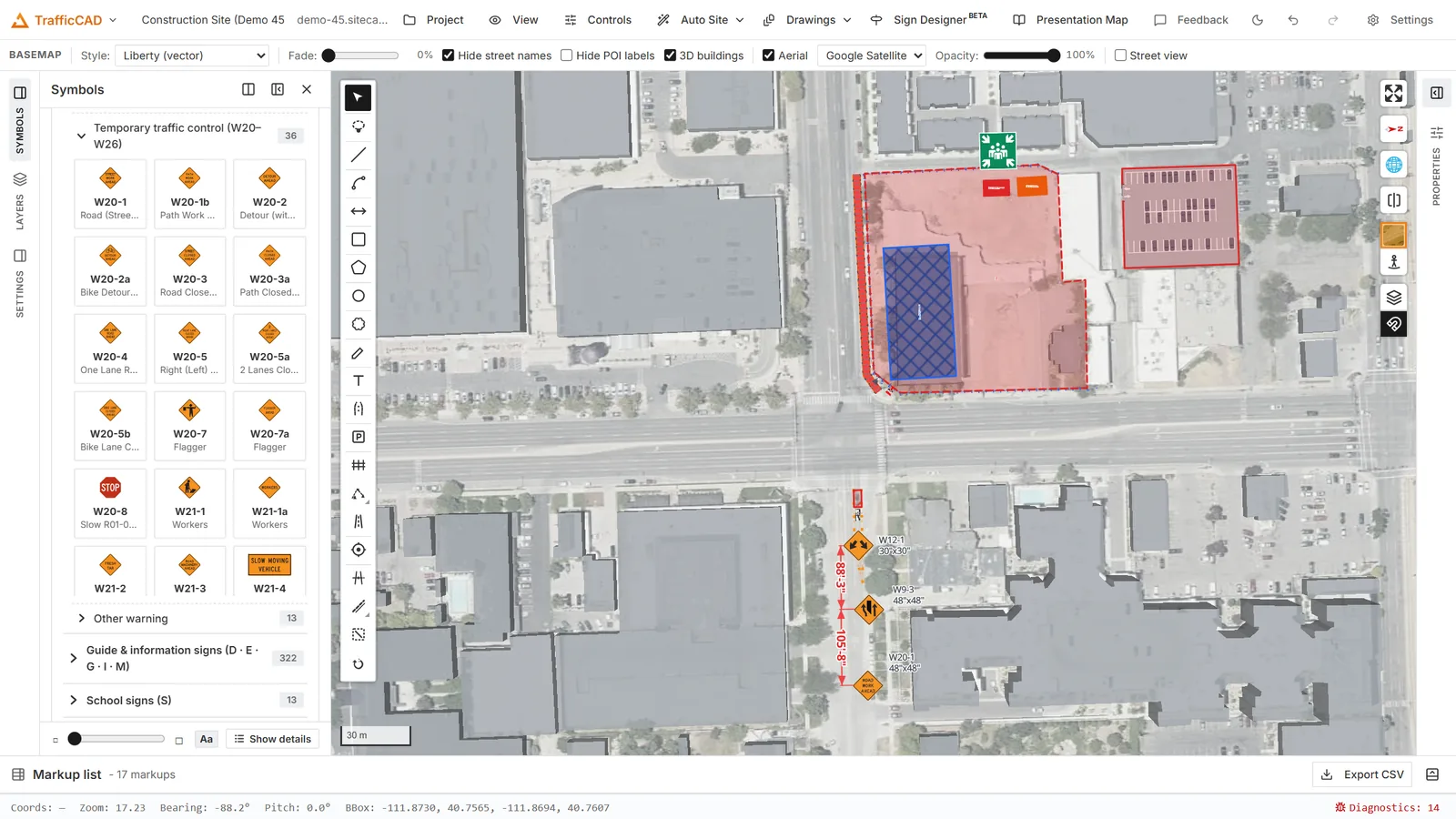
Where the first two tutorials get you: a complete, cited lane closure.
Start here
| Tutorial |
You will learn to |
| Your First Traffic Plan |
Draw a lane closure by hand on a real street: work area, signs, cones, and dimensions. |
| Generate a TTC Plan |
Let the MUTCD engine design the work zone — then tune, check, and own it. |
| Publish & Share |
Compose a sheet set, export the PDF, and put a live link in the field. |
Follow the videos
Each of these walks a demo recording step by step — watch the embedded
video, then follow the same moves with every click captured as a
screenshot. (They pair with the demo videos on the website.)
| Tutorial |
You will learn to |
| Create a Traffic Plan |
Work area, truck, cone and drum tapers, signs, dimensions — reviewed in 3D. (7:04) |
| Markup on the Map |
A full site layout: boundary, crosshatched building, fence and gate, facilities, signage. (7:00) |
| Visualization Settings |
Basemaps, 3D buildings, labels, and satellite imagery tuning. (1:31) |
| Place & Edit Signs |
Sign display modes, true ground size, and a styled parking area with auto stalls. (3:34) |
| Create Drawings |
Viewports, title blocks, 3D views, schedules, MUTCD tables, and editable typicals. (9:51) |
| Export & Edit in Bluebeam |
Every exported markup stays a native, editable Bluebeam annotation. (0:52) |
Model the site
Detail the plan
Review and present
Sites and events
| Tutorial |
You will learn to |
| Fence a Site |
Draw a compliant perimeter with gates — and export the bill of materials. |
| Sign a Construction Site |
Lay out site safety, welfare, and fire evacuation signage. |
| Plan an Event Site |
Zones, routes, parking, and event objects in the metric workspace. |
Work through a section in order for a guided tour, or jump to the one
that matches your task. Every tutorial runs in the browser.